
If you have a Bablic project already and you want to create additional projects under the same account, login to Bablic and click on the “Add New Project” link. The Add New Project link is available under your project dropdown menu in the top left corner of the page (next to the Bablic logo).
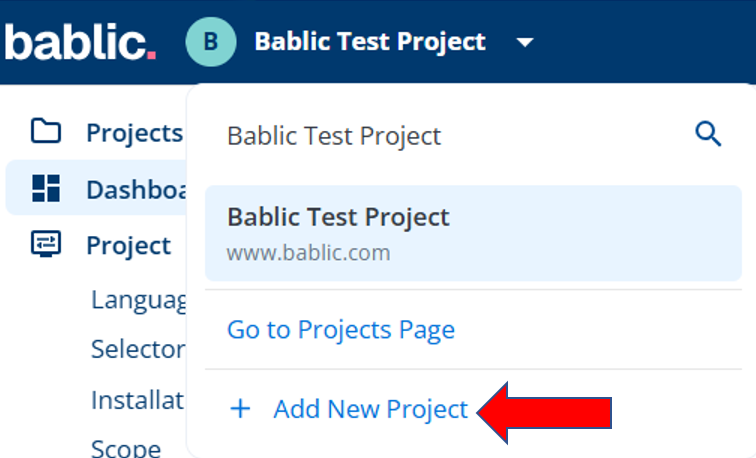
Then go through the registration wizard to create the additional project. There is no limit to the amount of projects you can create, and each one will start on a 30 day free trial.
To maintain service on each additional project beyond the expiration of the trial, you’ll need to activate a subscription from your Account page. Each project you create will require a separate subscription.
You can view all of your Bablic projects (and seamlessly toggle between them) from your Projects page, which is available in the left-hand menu.