
How do I change to a new Plan?
To upgrade or downgrade to a new plan, go to your Admin -> Account page and click the orange Upgrade link.

On the following page, you can select the new plan you wish to change to, as well as a monthly or annual subscription. Use the radio button indicated by the red arrow below to toggle between monthly or annual options. Annual subscriptions are discounted by 2 months.
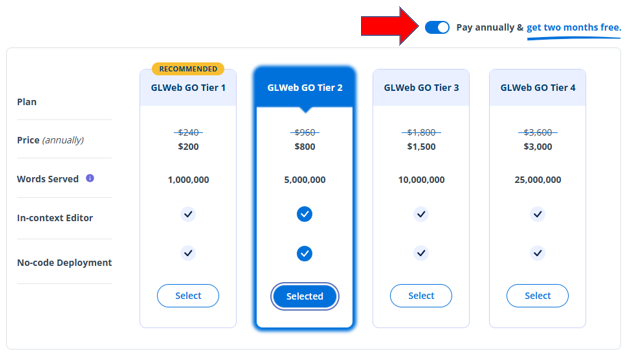
Once you have selected your plan and a monthly or annual subscription, click the blue “Continue” button in the bottom right corner.
Fill in your payment information on the ensuing payment page. Once submitted, you have officially changed plans! Your updated Plan information will now be listed under Plan Details on your Dashboard page.
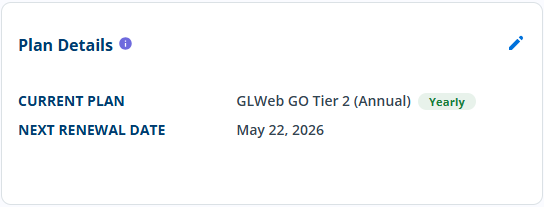
Downgrades will go into effect at the start of the next billing cycle.
For an upgrade, you will pay the difference between your current subscription and the new plan.