
AngularJS/2+ Implementation Guide
Let’s integrate Bablic with your AngularJS or Angular 2+ site. This guide will help you get started. Here are the things you’ll need before you get started:
- A Bablic account (Don’t have one? Click here!)
- An AngularJS or Angular 2+ account.
Navigate to "<>index.html" and find the "<head>" of the website HTML.

Click here to log in to your Bablic project. Under Project in the left hand menu, go to your Installation page and copy your snippet of JavaScript from the Injection card at the bottom of the page.

Paste the snippet into the "<head>" of your website's HTML.
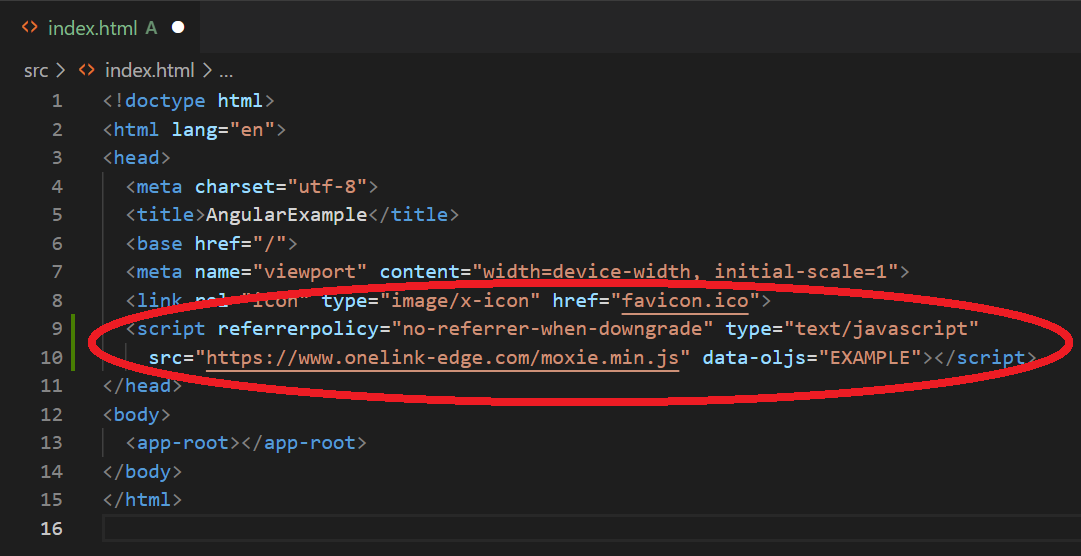
Remember to save the file and load your application in the browser once complete.